 evilgenius.id
A Cloudflare AI-Crawler Rule Kept Googlebot Out of My Vibe-Coded Site for 24 Days
For 24 days after I moved evilgenius.id to Cloudflare, a default rule blocked about half of Googlebot’s requests and all of Bingbot’s. Search Console said my sitemap could not be read, and no new page got indexed. Claude (Claude Code with browser access) found the rule and fixed it in 9 short prompts. A day later, all 4 pages I asked Google to index were in search.
I like to stay hidden online, so I rarely write about myself, and I don’t care much whether this site gets indexed. But that error kept bugging me, so I handed it to Claude, and it aced it.
This is a sequel to Notes on SEO for Vibe-Coded Websites. I built this site with Claude Code too, as a static Astro site. It hit fault #3 from that note: the CDN turning crawlers away.
Prompts 1 and 2: the first answer was wrong
On 2026-10-24 I moved the site from WordPress to Astro on a Cloudflare Worker. Adding the domain to Cloudflare turned on a managed rule called “Block AI training crawlers” by default. Then Google Search Console (GSC) showed “Sitemap could not be read” (General HTTP error) for sitemap-index.xml.
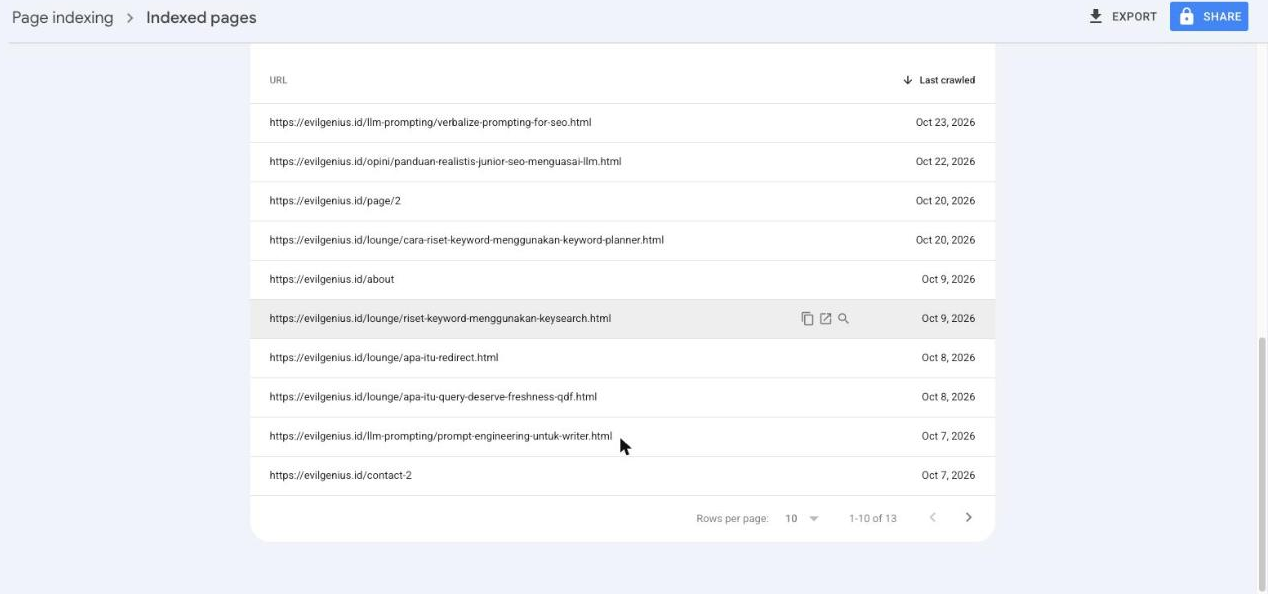 Before: Google’s index held 13 old WordPress URLs and nothing from the new site.
Me: (pasted a handoff note) GSC says “Sitemap could not be read”. Maybe a WAF rule?
Claude checked only my custom WAF (firewall) rules and called them harmless. That was wrong.
Me: Please drill down to the root cause.
This time Claude opened Cloudflare Security > Events, the log of every request Cloudflare blocked. The managed rule was blocking real Googlebot, from Google’s own network (AS15169), on /sitemap-index.xml and other paths.
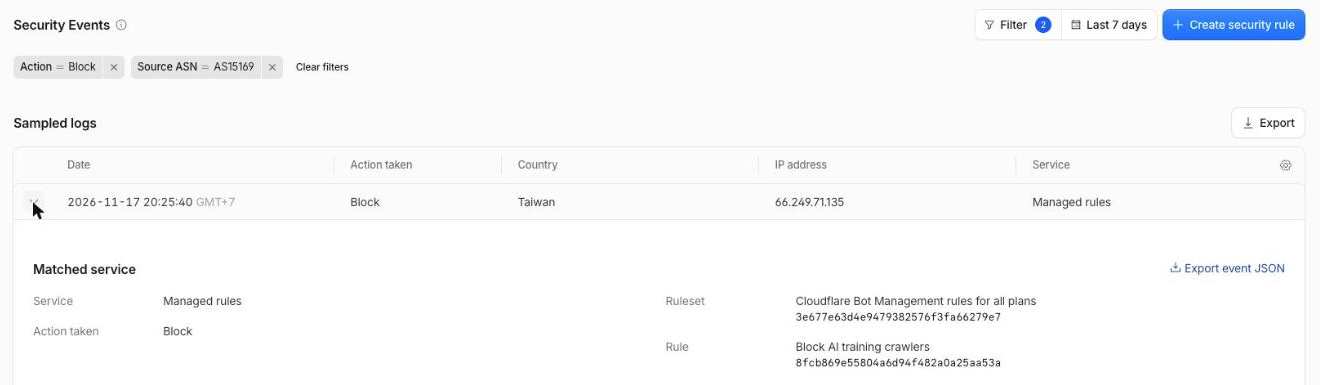 The event log named the rule. My custom rules had nothing to do with it.
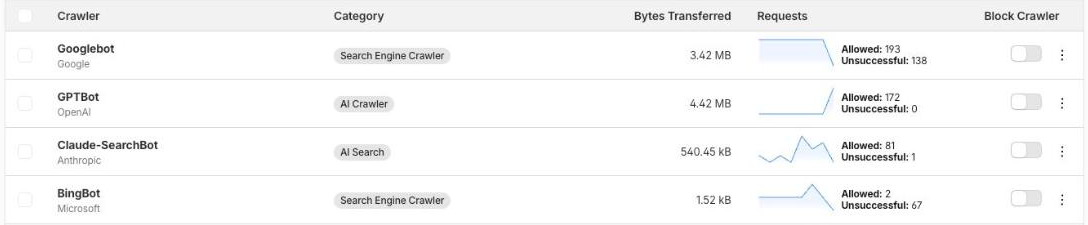 Nov 11 to 18: Googlebot 193 allowed, 138 unsuccessful. Bingbot 2 allowed, 67 unsuccessful. GPTBot 172 allowed, 0 unsuccessful.
Every “Block Crawler” toggle in that table was off, yet Googlebot still got blocked. The block came from the managed rule, not the toggles. A custom “skip” rule I added on Nov 9 couldn’t stop it either, because managed rules run in their own phase.
Prompts 3 and 4: one setting, saved twice
Me: Yes, turn it off.
Claude set Cloudflare > AI Crawl Control > Training to “Allow (do not block)”. The first Save did not stick, so Claude saved again, watched the request succeed and re-read the setting.
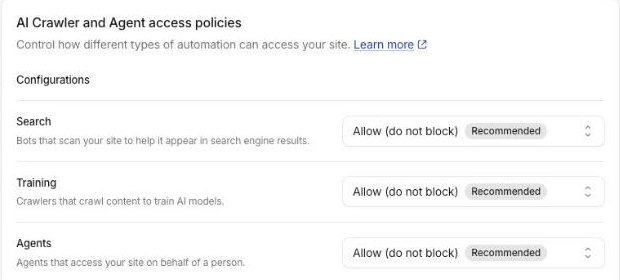 The whole fix is one setting. Re-check it after saving.
Me: Please test now.
On Nov 17 at 22:09 (GMT+7), Googlebot fetched /robots.txt and /sitemap-index.xml without a block. GSC’s sitemap status changed to Success.
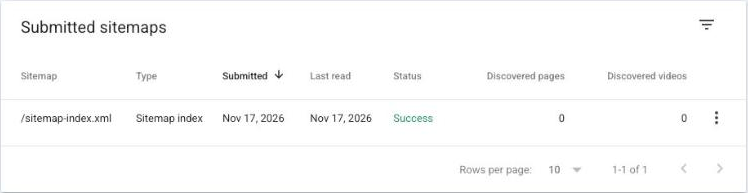 Same sitemap, same file. The only change was the Cloudflare setting.
Why I missed it for 24 days: GSC’s “Live test” passed the whole time. It uses a different crawler, Google-InspectionTool, which the rule didn’t block. A passing live test doesn’t prove Googlebot gets through; the firewall log does.
Prompts 5 to 9: getting the new pages in
With the error gone, I let Claude finish the job and get the new pages in.
| My prompt | What came back |
|---|---|
| “Open GSC again. The homepage still isn’t indexed.” | Homepage: “Crawled – currently not indexed”, last crawl Nov 17, 23:31 |
| “Find out why. Ignore the old WordPress pages.” | /work/, /notes/ and a new note: “URL is unknown to Google” |
| “Only request indexing.” | Nov 18: indexing requested for those 4 URLs, each confirmed |
| “Can you tell me how you fixed it?” | A step-by-step recap of the fix |
| “Please do site:evilgenius.id.” | 18 results, including all 4 requested pages |
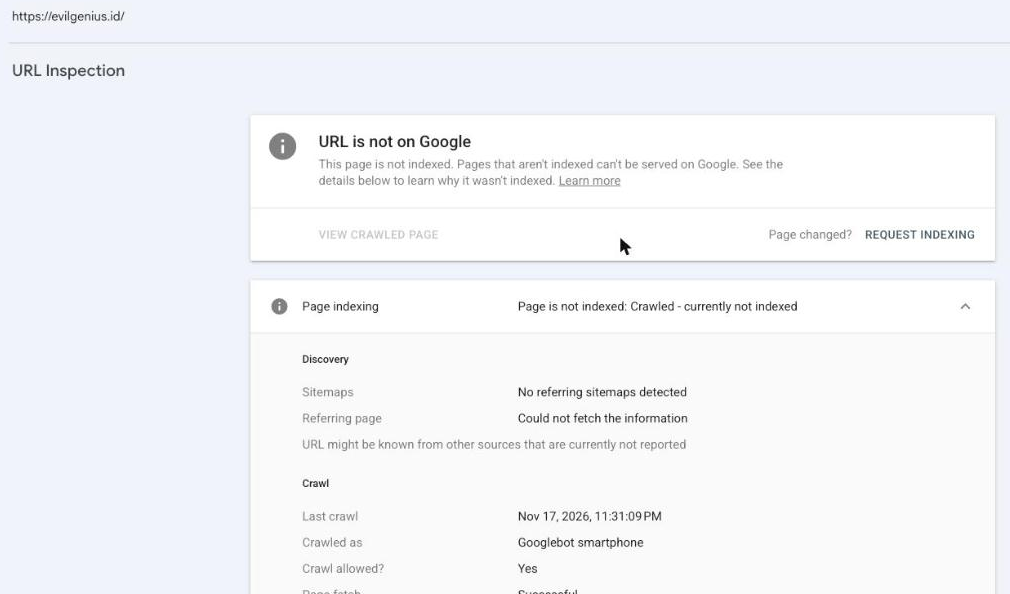 Before: the homepage on Nov 17, crawled but not indexed.
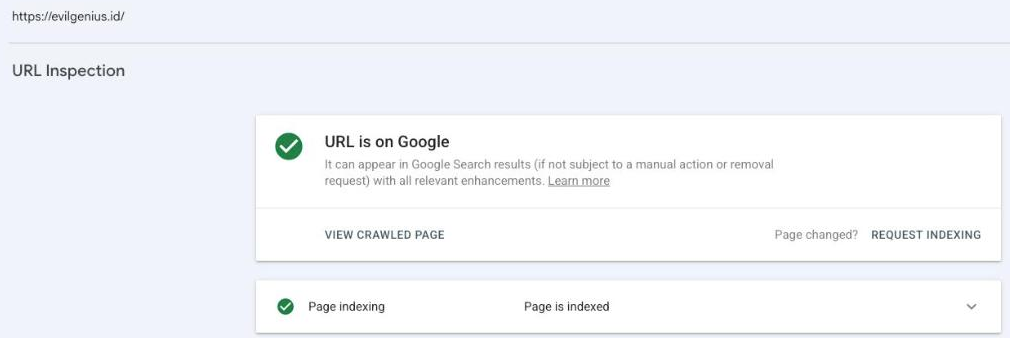 After: the homepage a day after the indexing request.
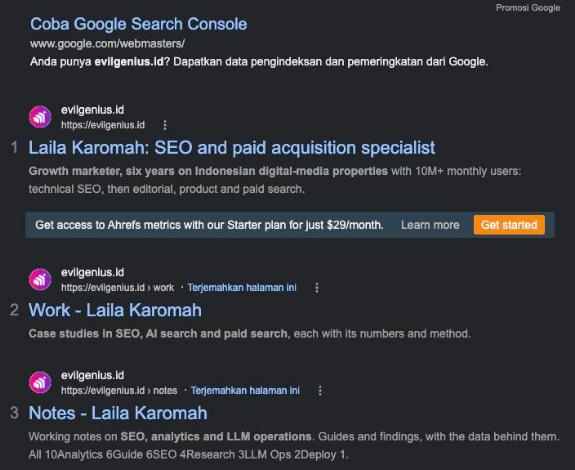 18 results. 4 are the new pages. The other 14 are old WordPress URLs.
The old WordPress URLs now return 404 and will drop out on their own. That is why I told Claude to ignore them.
How to check your site, and how I prompted
- Open your firewall log (Cloudflare: Security > Events) and filter by user agent “Googlebot”. Any block there is your answer.
- For each blocked request, note the rule name. Managed rules are listed apart from your custom rules.
- Check the source network. Real Googlebot comes from AS15169, so a block there is not a fake bot.
- If the rule is “Block AI training crawlers”, set AI Crawl Control > Training to “Allow”. Reload and confirm it saved.
- Resubmit the sitemap in GSC. Wait for Googlebot’s next fetch to show up in the log unblocked.
The vibe-coded note said to check the firewall, not just robots.txt. On my site, the block was never in robots.txt. It only showed in the firewall log.
One side effect: allowing training crawlers also lets GPTBot, ClaudeBot and similar bots in. To keep blocking them, add a Disallow line per bot in robots.txt. Search bots and training bots then get separate answers.
How I prompted: most prompts were under 10 words, and each asked for one thing. I approved every change before it happened. When the first answer was shallow, “drill down” got the real cause in one step. A confident first answer from an AI assistant is a first draft, so ask it to show the log.